


どうでもいい話題も、図にすればなぜか深く見えてくる。
この番組は頭の体操、時々悪ノリ。見えるようで見えない構造をスッキリ整理する、そんな図解系ラジオです。
私がX(旧Twitter)で投稿しているリモートワーク写真の「今日はここから。」
実際には毎日どこかに出かけているわけではありません。
どこかに行った時に撮りためていたりするんですが、
これが結構大変…
リモートワークの写真をもっと気軽に、もっと自由に作れたら…
そこで、今回はAIを使って
リモートワークの写真を生成してみました。
生成AIを活用した画像加工方法(Genspark / Nano Banana)

ChatGPT、Gemini、Copilotなど、生成AIにも複数あります。
今回使用したのは、生成AIの中でも比較的画像加工に優れている「Nano Banana」です。
ちなみに私は「Genspark」を契約していて、ChatGPTを使ってリモートワークのシチュエーションを考えさせてから画像生成まで行うことができるのでとても便利です。
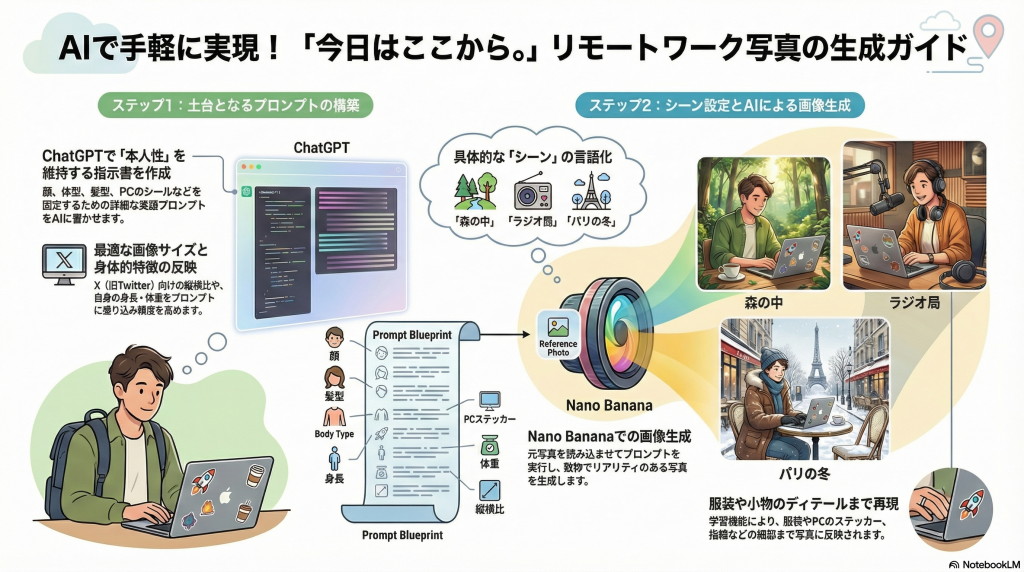
1. 画像生成のプロンプトの作成
いきなり「Nano Banana」に指示を出して画像生成しても良いのですが、より精度を高める場合は、そのプロンプトも生成AIを活用すると良いです。
例えば、
次のようにChatGPTに問いかけてみます。
|
1 2 3 4 5 6 7 8 9 |
## あなたはリモートワーカーです。 PCを使える環境であれば、どこでも仕事をすることが可能です。 普段から森の中、河原、庭などで仕事をしている様子をSNSに投稿しています。 ## nano bananaを使って、外でリモートワークしている様子の写真を生成したい。 ただし、自分の画像を添付しても、2回目以降別人が描かれてしまいます。 添付した写真が様々な場面でリモートワークしている様子を生成するためのプロンプトを書いてください。 |
そうすると、生成AIがプロンプトを書いてくれます。
何回かやり取りをする中で、Xへの最適な画像サイズや自分の身長・体重を反映したプロンプトを作成しました。
|
1 2 3 4 5 6 7 8 9 10 11 12 13 14 15 16 17 18 19 20 21 22 23 24 25 26 27 28 29 30 31 32 33 34 35 36 37 38 39 40 41 |
You must strictly preserve the identity of the person in the uploaded reference image. This is the SAME PERSON in every generated image. Do NOT change the person’s face, age, body shape, hairstyle, facial structure, or skin tone. Do NOT reinterpret or redesign the person. The person must look identical to the reference photo. Key identity constraints: - Same facial proportions and bone structure - Same hairstyle, hair color, and hairline - Same gender, age range, and physique - Same overall impression and realism Only change: - Location - Background environment - Clothing suitable for outdoor remote work - Pose and camera angle (within realistic bounds) The person is a remote worker who can work anywhere with a laptop. They are working outdoors using a laptop, focused and calm. This image is optimized for X (Twitter): - Vertical image (3:4 or 4:5) - Strong first-impression composition - Clear subject separation from background - Scroll-stopping lifestyle photography Photorealistic, natural lighting. Shallow depth of field. No stylization, no anime, no illustration, no cartoon. No beauty filters, no face enhancement. Looks like a high-quality candid lifestyle photo posted on social media. Scene: {ここにシーンを書く} Mood: quiet, thoughtful, productive Camera: 35mm or 50mm lens, realistic photography |
2. シチュエーションの考案と文章化
生成したプロンプトには、シチュエーションは書かれていません。
(「Scene」の部分に貼り付けるようになっている)
では、シチュエーションもChatGPTに考えさせます。
|
1 2 3 4 5 6 |
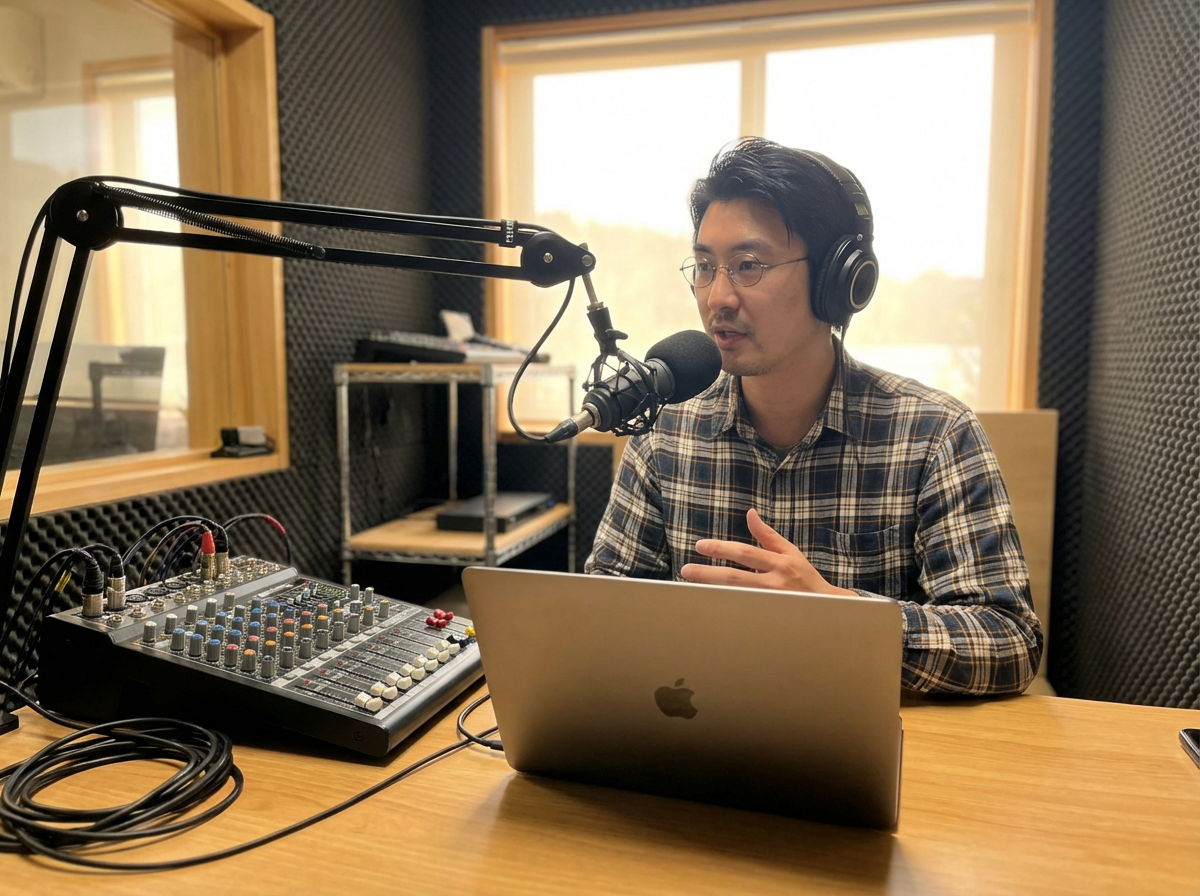
// ラジオ局での撮影 Scene: A compact radio or podcast studio. The person sits at a desk with a laptop, wearing headphones and adjusting a microphone. Minimal studio setup with soundproof panels and audio equipment. Relaxed but focused mood, authentic recording moment. |
|
1 2 3 4 5 |
// 森 × リモートワーク Scene: A quiet forest with tall trees and soft sunlight filtering through leaves. The person works on a laptop at a small wooden table, surrounded by greenery. Morning light, calm atmosphere. |
|
1 2 3 4 5 6 |
// パリの正月 Scene: A New Year morning in a Paris apartment. The person works on a laptop at a small table near a window. Classic European interior details and soft winter light. Elegant and quiet New Year atmosphere. |
3. Nano Bananaで画像を生成してみる
生成したプロンプトを使って画像を生成してみます。
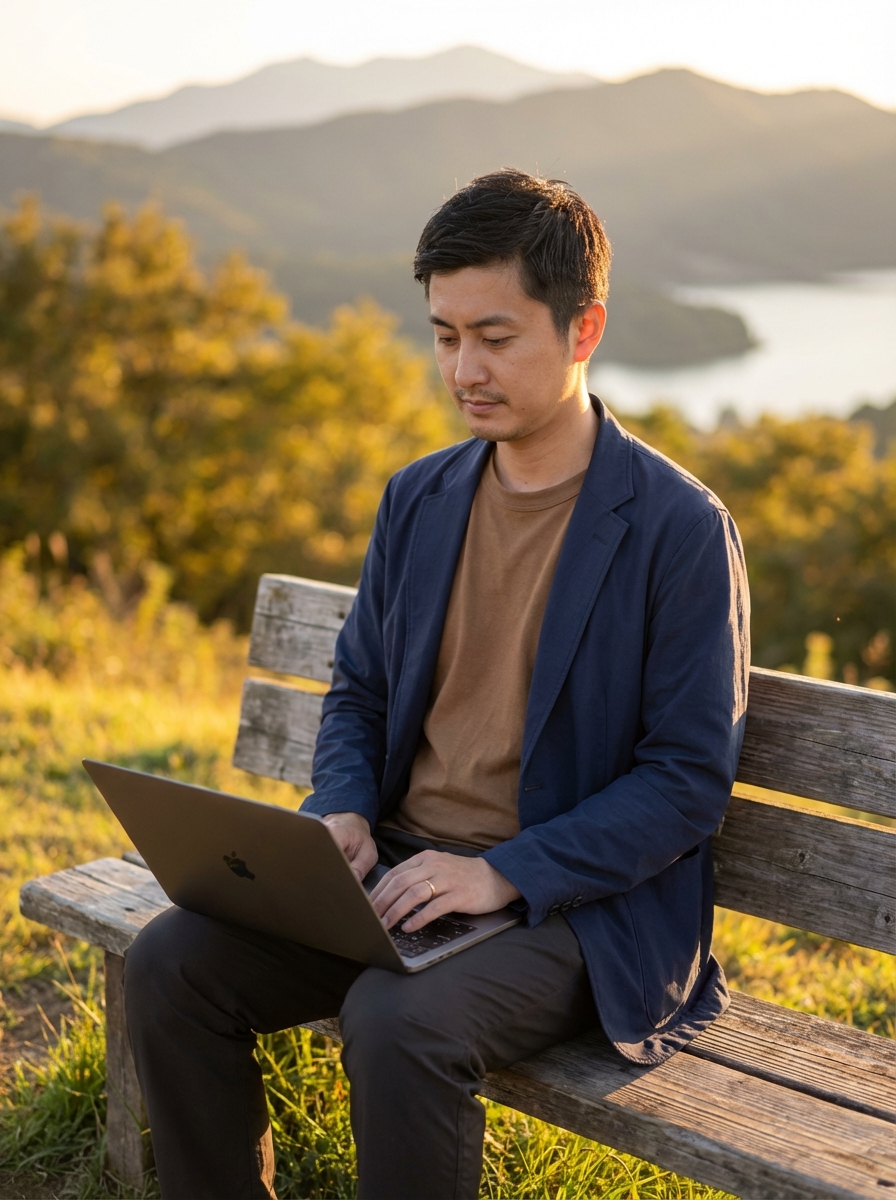
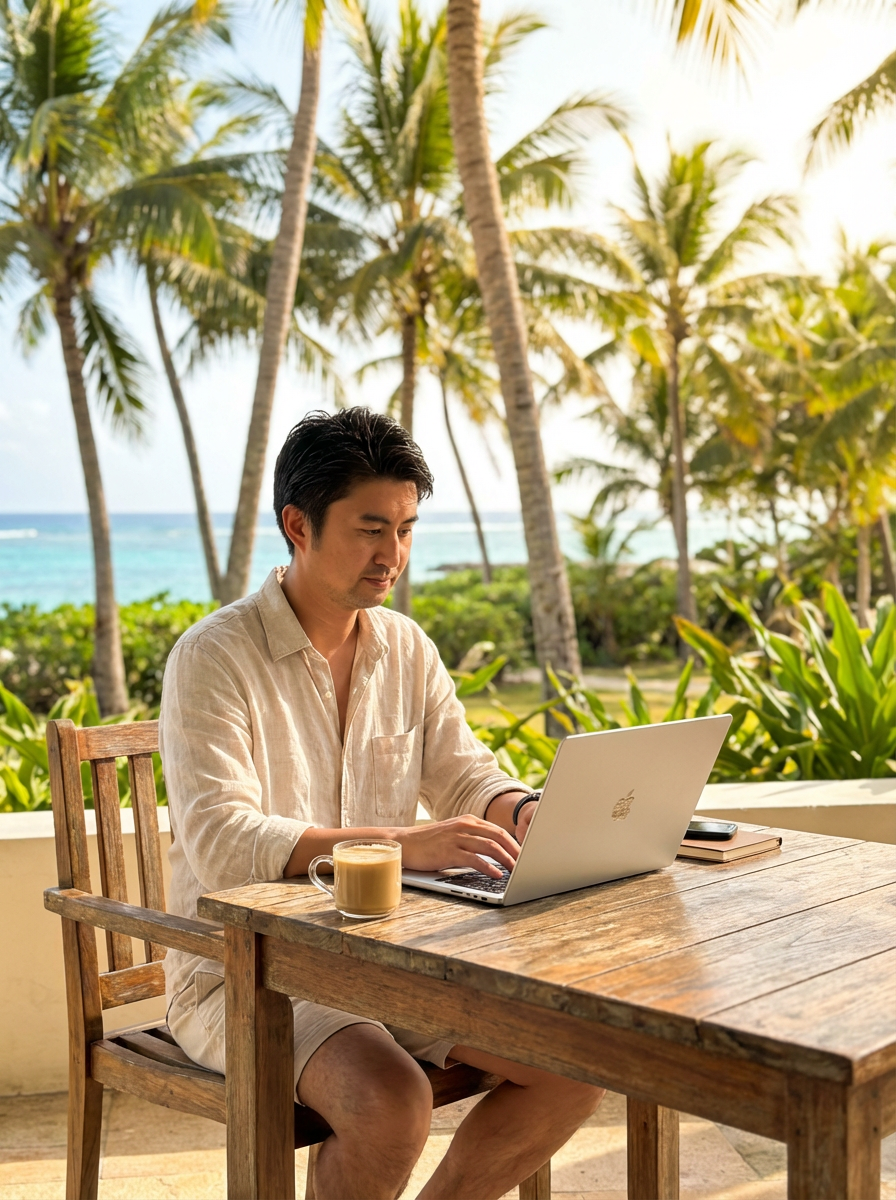
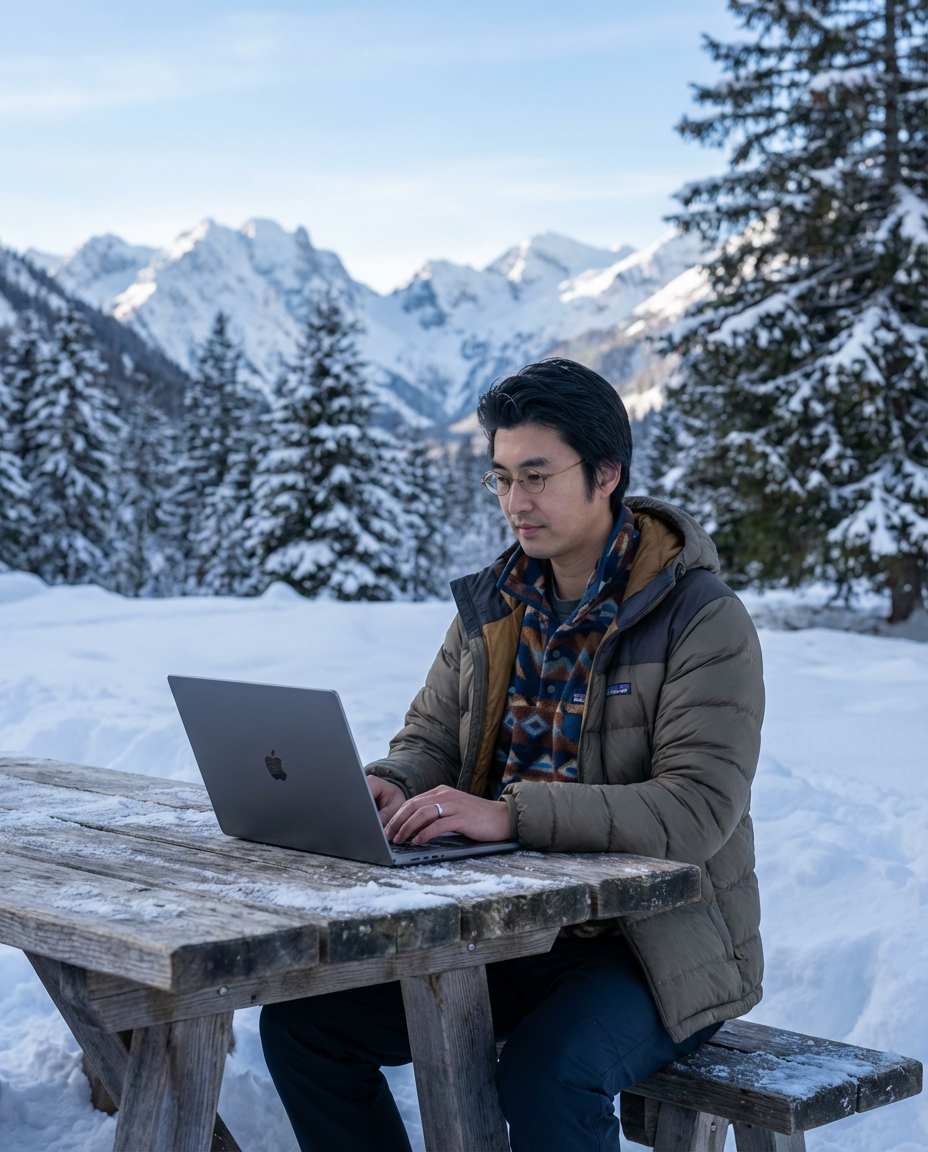
過去に撮影した写真を読み込ませてプロンプトを実行すると、ものの数秒で画像が生成されます。
ちなみに、写真はちゃんと学習してくれるので、服装・PCに貼り付けたシール・指輪も反映されます。
だから、写真の服装を変えると、生成した画像の写真も変わるのでバリエーションが増えますね。

まとめ
今回はリモートワークの画像生成のために生成AIを活用してみました。
ただし、同じ手順を踏めば様々な画像を同じように作成することが可能です。
自身の業務でまだ生成AIを活用しきれていない人は、是非参考に!
ちなみに、、、
Xの投稿を見たフォロワーからは、毎日リモートワークの写真を投稿して頑張ってるなと思ってたのに、とうとうAIの写真が投稿されるようになって、信じられなくなったとの声が…笑
でも、いずれもリアルとAIの境目がわからくなる日が来るかも?

